

Connections
This section explains how to create a database connection and attach a data source. A connection defines how the platform connects to a database, while data sources are required to expose database content for reporting and further use.
1. Open Connections
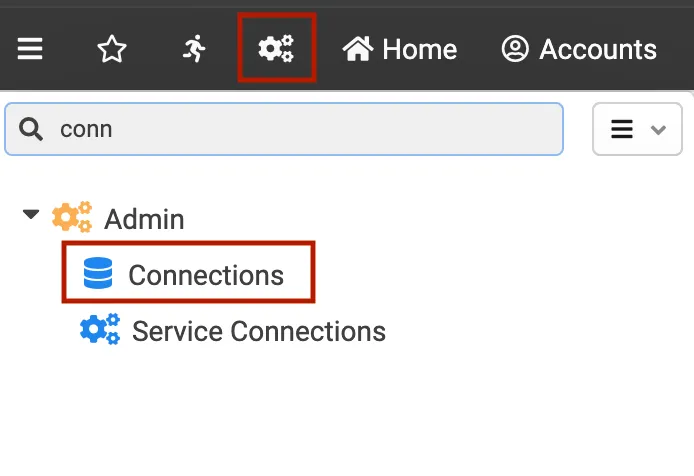
- In the top bar, open the main menu using the settings icon (gear)
- In the left navigation, go to Admin and select Connections
2. Create a new connection
- On the Connections page, open the Connection dropdown (top right)
- Select New connection
- In the dialog, fill in:
- Key: a unique identifier for the connection
- Name: a human readable name for the connection
- Click Save and open
3. Configure and verify the database connection
-
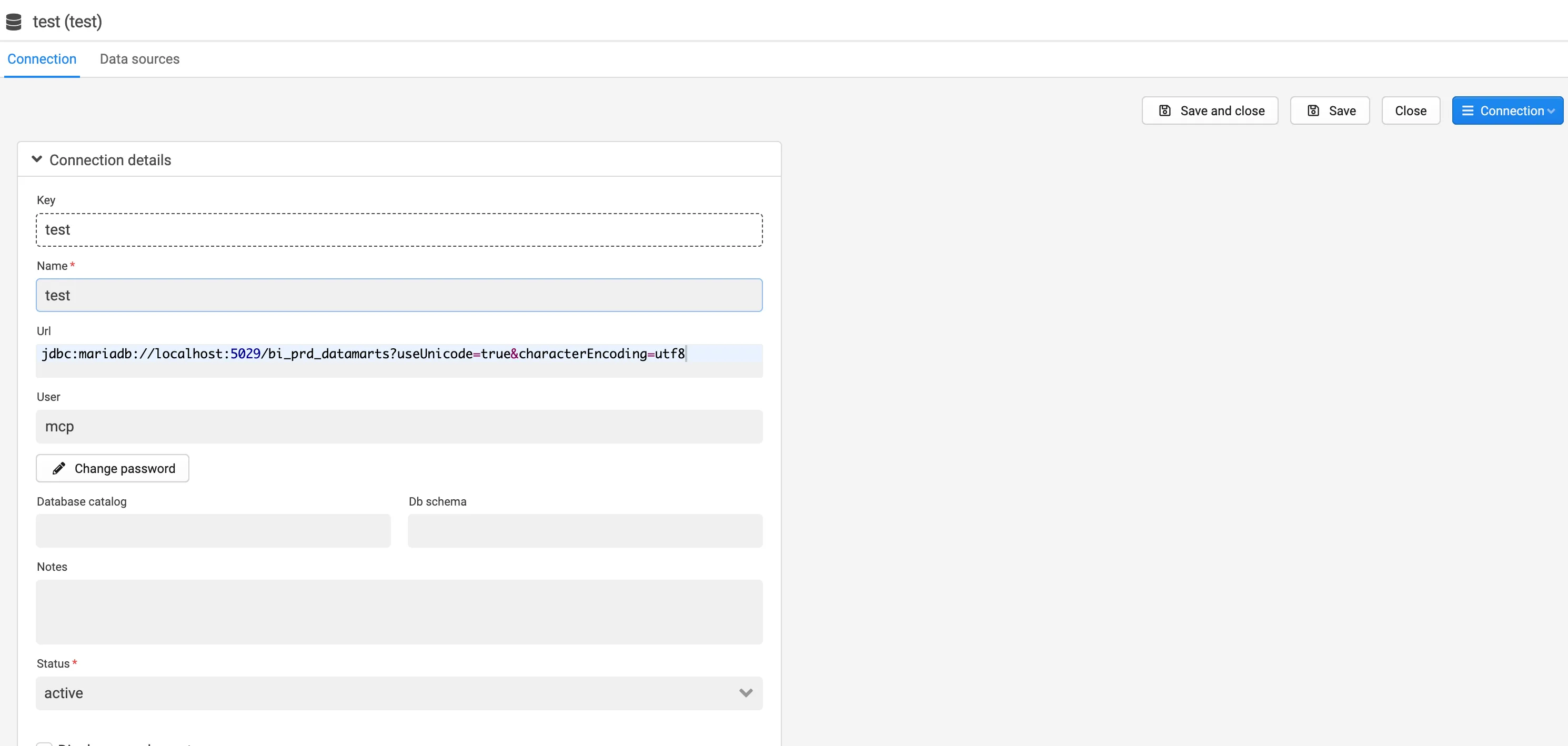
In Connection details, fill in:
- Url: the JDBC connection string for the database (i.e. jdbc:mysql://localhost:5029(port)/datamarts(database))
- User: database username
- Password: click Change password and enter the database password
-
Click Save (or Save and close when finished)
-
Optional verification: Open the Connection dropdown and select Verify connection
4. Add the required data source
See Data sources for more information.