

Business units
Main menu for all business units. Can be added to the main menu. Possible to add listviews.
It is possible to create a hierarchy of business units. We recommend that you start adding on the top level, and then use the parent field on the lower levels.
Business units can be used for filtering reports for the users. You can connect users to the business units and set a script on the reports so that the user will only have access to data relevant to the business units.
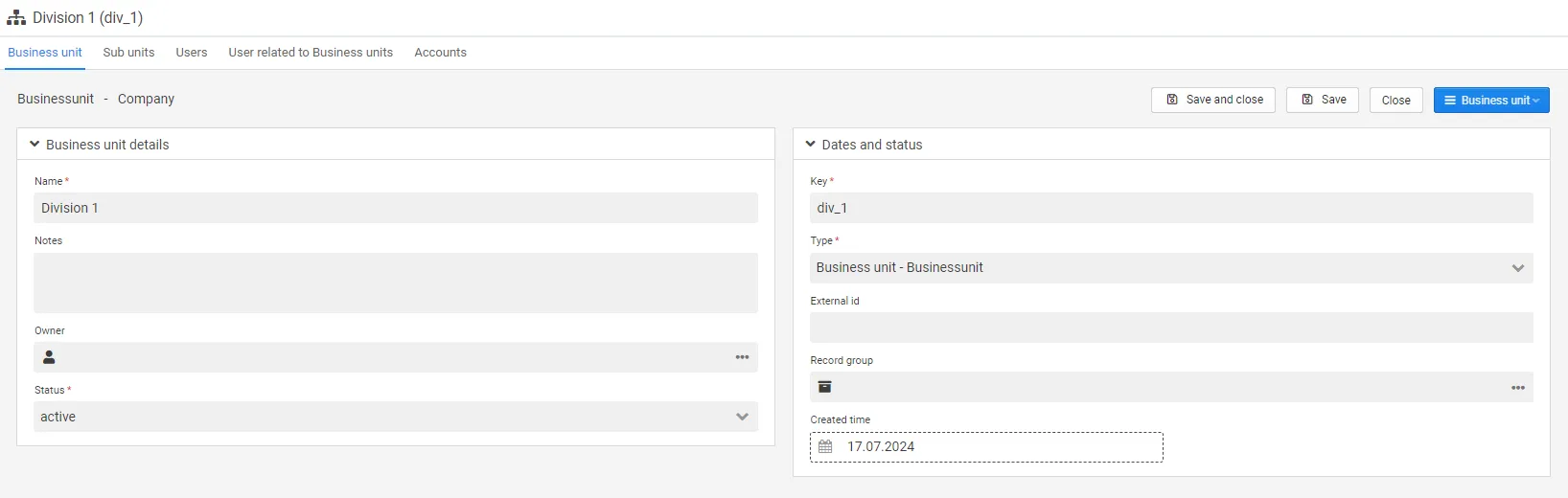
Business unit settings
Section titled “Business unit settings”| Field | Description |
|---|---|
| Name | There is no need for a unique name (mandatory). |
| Notes | Free text field. |
| Parent | Choose from drop down list the parent business unit. Will only be relevant if more than one business unit level has been set up (optional) |
| Owner | Choose owner from drop down list (optional). |
| Status | Statuses are custom, and can be set up in statuses (the standard is active) (mandatory). |
| Key | Unique key (mandatory). |
| Type | Type are custom, and can be set up in record types (mandatory). |
| External id | Alternative id(optional). |
| Created time | Automatically generated when the business unit is set up. |
Sub units: List of business units which have the selected business unit as parent.
Users: List of users who have the selected business unit set as the main business unit (field in the user settings). Only one main business unit can be set per user.
User related to business units: List of users who are connected to the selected business unit through user related to business units(list in the user settings). Multiple business units can be chosen for each user.
Configuration: Configuration variables that belong to this business unit. See below.
Configuration variables
Section titled “Configuration variables”The Configuration tab holds key/value variables for the business unit. Typically these are settings and credentials shared with Deem Integrator.
You can add variables one at a time in the grid, or move a whole set in and out at once.
Importing several at a time
Section titled “Importing several at a time”Press Import on the Configuration tab, paste your variables, and press Verify before you import.
The format is two columns separated by a tab — key, then value — with one variable per line. That is
what you get when you copy cells out of Excel, so you can keep the list in a spreadsheet and paste it
straight in. A header row named Key and Value is detected automatically; there is a checkbox if
you need to override that.
The preview shows every row with a status:
| Status | Meaning |
|---|---|
| New | The key does not exist yet and will be created |
| Exists | The key is already set on this business unit |
| Error | The row cannot be imported — see below |
Rows marked Exists are skipped unless you tick Overwrite. A row is flagged as an error when the tab separator is missing, the key is empty, the value is longer than 1024 characters, or the same key appears twice in the pasted text.
Nothing is saved until you press Import.
Passwords and other secrets
Section titled “Passwords and other secrets”A value that begins with Encrypted is stored as a secret and kept in its encrypted form. This is
the same form Deem Integrator uses, so an encrypted value copied from there stays encrypted the whole
way — it is never written out in plain text, and Deem Insight does not re-encrypt it.
Every other value is stored as a normal, readable setting.
Copying them out
Section titled “Copying them out”Copy to clipboard puts every variable on the tab into the same two-column format, ready to paste into Excel or into another business unit. Secrets come out in their encrypted form, never in plain text.