

File Pdf Converter
The File Converter transform converts files referenced by the pipeline stream into a selected target file type.
Converts from DOCX or TIF to PDF format.
In the Deem PDF converter dialog, the source file and target file are selected from fields in the incoming stream. The transform can also write the source and target filenames back to the result filenames list.
Configuration dialog
Section titled “Configuration dialog”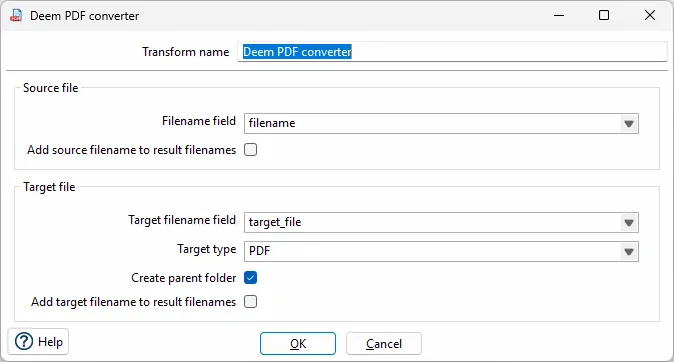
Configuration
Section titled “Configuration”General options
| Option | Description |
|---|---|
| Transform name | Name of the transform. |
Source file
| Option | Description |
|---|---|
| Filename field | Field in the incoming stream that contains the source filename. |
| Add source filename to result filenames | Adds the source filename to the result filenames list when the transform runs. |
Target file
| Option | Description |
|---|---|
| Target filename field | Field in the incoming stream that contains the target filename. |
| Target type | File type to create. For the Deem PDF converter, this is set to PDF. |
| Create parent folder | Creates the parent folder for the target file if it does not already exist. |
| Add target filename to result filenames | Adds the target filename to the result filenames list when the transform runs. |
Example
Section titled “Example”The dialog can be configured with:
| Setting | Example value |
|---|---|
| Transform name | Deem PDF converter |
| Filename field | filename |
| Target filename field | target_file |
| Target type | PDF |
| Create parent folder | Enabled |