

KPI Wizard
Overview
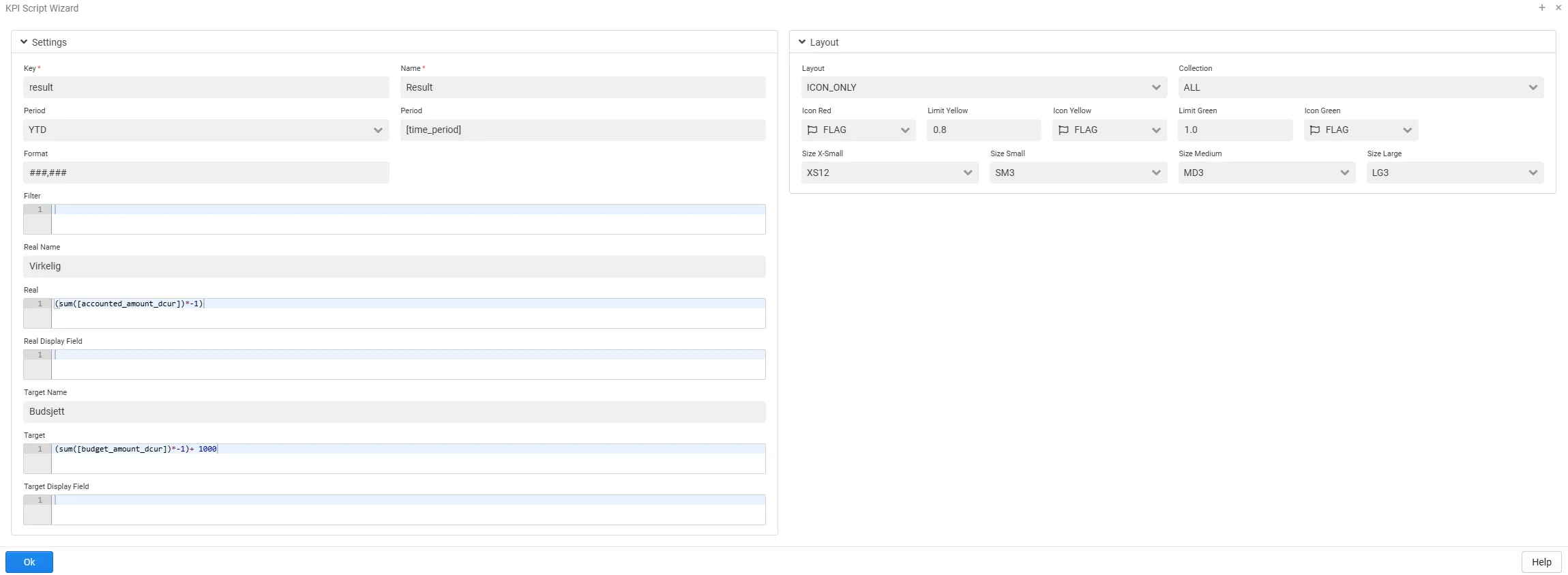
Section titled “Overview”The KPI Wizard makes it easier to create KPIs with minimal scripting. By using the wizard, users can follow a guided process to define and customize their KPIs more efficiently.
Settings
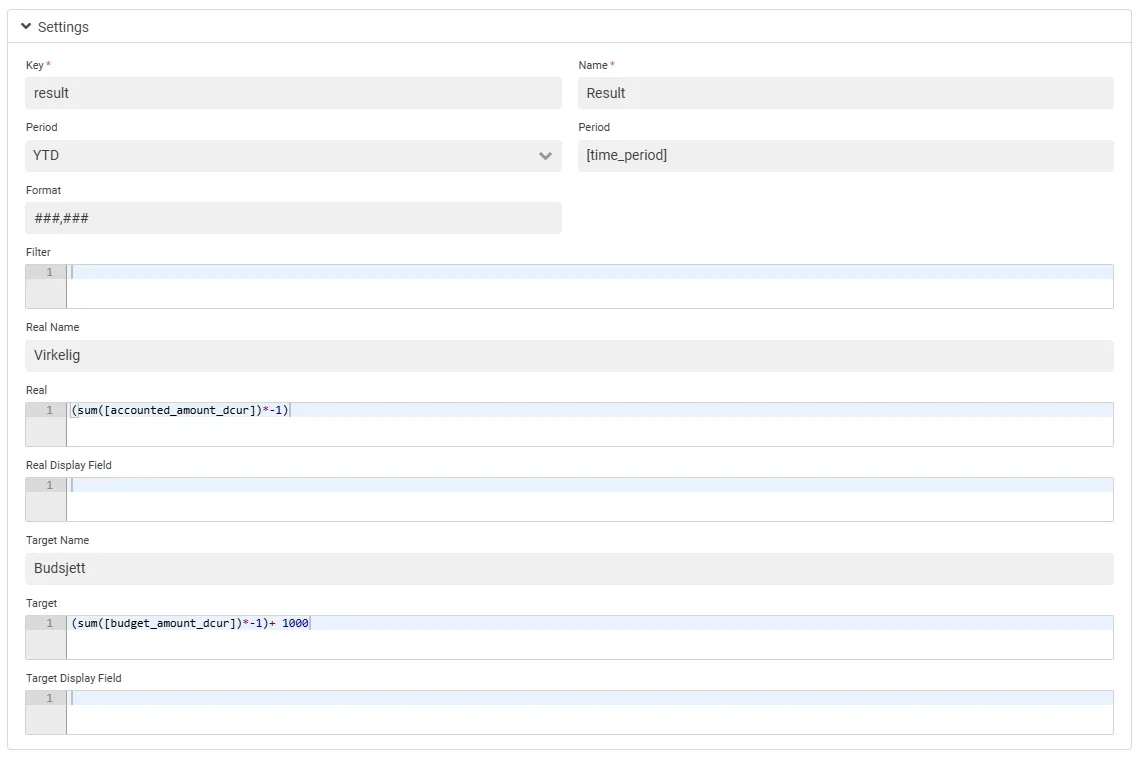
Section titled “Settings”In the settings section of the wizard, the more technical aspects of the KPI are configured, such as real and target value, period and format.
Configuration Options
Section titled “Configuration Options”- Target Value: Define the target or benchmark for the KPI
- Real Value: Define the actual (realized) value of the KPI
- Time Column: Specify the column containing time-related data
- Time Interval: Delimit the time interval (YTD, TP, TPM, YTDM, 12M)
- Format: Set the display format for the KPI value
Layout
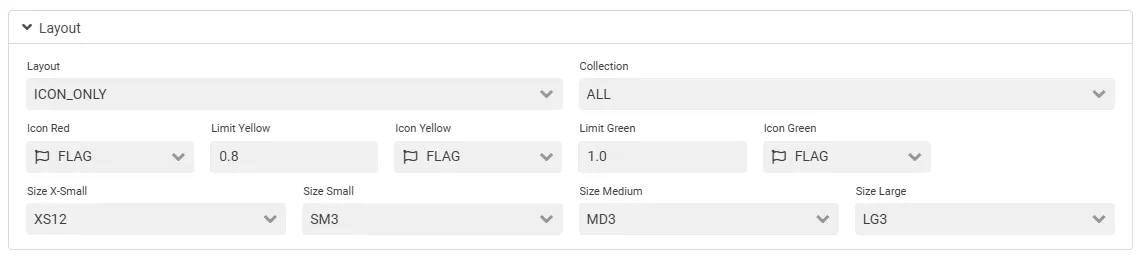
Section titled “Layout”This is where the more visual part of the KPI is configured, such as the layout type, icons and limits and the size of the KPI.
Layout Options
Section titled “Layout Options”- Layout Type: Choose how the KPI is displayed
- Icons: Set icons for red, yellow, and green status
- Limits: Define yellow and green budget rates
- Size: Configure responsive sizing for different screen sizes (XS, SM, MD, LG)
Related
Section titled “Related”- Intro KPIs - Overview of KPI documentation
- KPI Method Overview - Complete method reference
- KPI Examples - Practical examples