

Jasper Report Output
Generates Jasper reports from pipeline data, allowing you to create formatted reports using the JasperReports engine.
Configuration Dialog
Section titled “Configuration Dialog”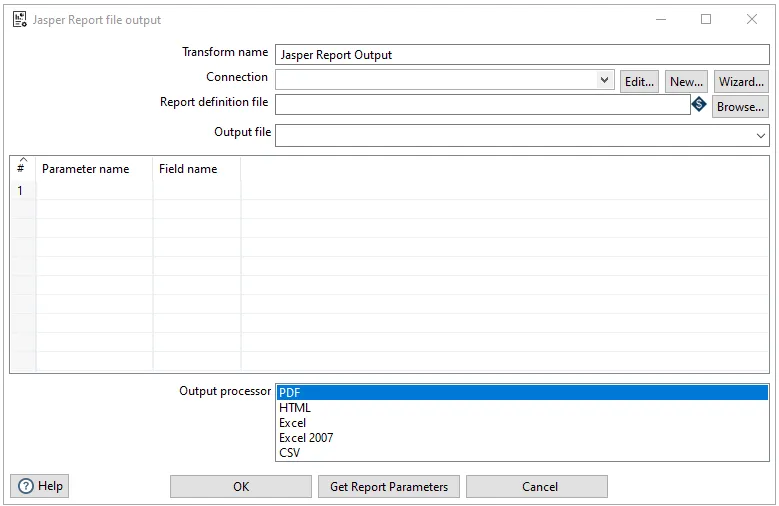
The Jasper Report Output dialog allows you to configure report generation from pipeline data. The dialog includes the following key components:
Configuration Options:
- Transform name: Specify a name for the transform
- Report template: Path to the JasperReports template file (.jrxml)
- Output file: Destination path and filename for the generated report
- Output format: Select the output format (PDF, HTML, XLS, CSV, etc.)
- Report parameters: Define parameters to pass to the report template
Data Configuration:
- Data source: Configure how pipeline data is mapped to the report
- Field mapping: Map pipeline fields to report fields
- Grouping and sorting: Configure data grouping and sorting for the report
The dialog provides options to configure report parameters, data source connections, and output settings to generate formatted reports from your pipeline data.