

Deem Script Expression
Executes custom script logic to calculate, transform, and derive fields using a scripting engine. Implemented as a Deem specific wrapper around the Apache Hop JavaScript transform with predefined context, helper functions, and standardized behavior to ensure consistent scripting across all Deem pipelines.

Configuration Dialog
Section titled “Configuration Dialog”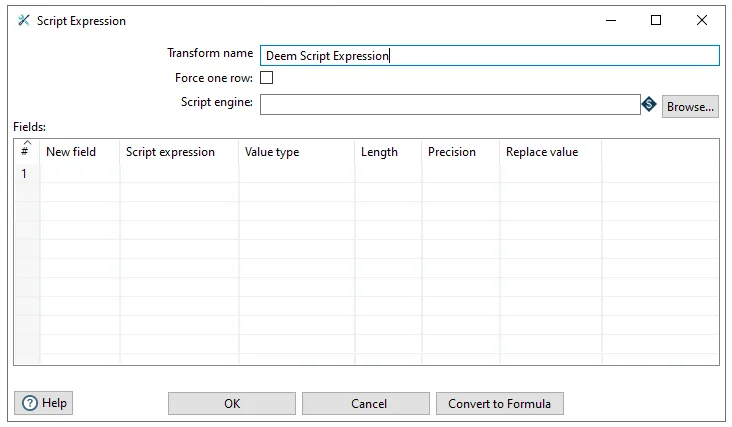
The Script Expression dialog allows you to configure script-based data transformations. The dialog includes the following key components:
Configuration Options:
- Transform name: Specify a name for the transform (default: “Deem Script Expression”)
- Force one row: Checkbox to force output to a single row
- Script engine: Select or browse for the scripting engine to use (supports variable/parameter selection)
Fields Table: The main configuration area is a table where you define new fields to be calculated or transformed:
- New field: Name of the output field
- Script expression: The script code that calculates the field value
- Value type: Data type of the output field
- Length: Field length (for string/numeric types)
- Precision: Decimal precision (for numeric types)
- Replace value: Option to replace existing field values
The dialog provides action buttons for Help, OK (to save), Cancel, and Convert to Formula functionality.