

Bulk Loader
The Bulk Loader transform streams data from inside {project-name} to a text file using ‘LOAD DATA INFILE’ into the database.
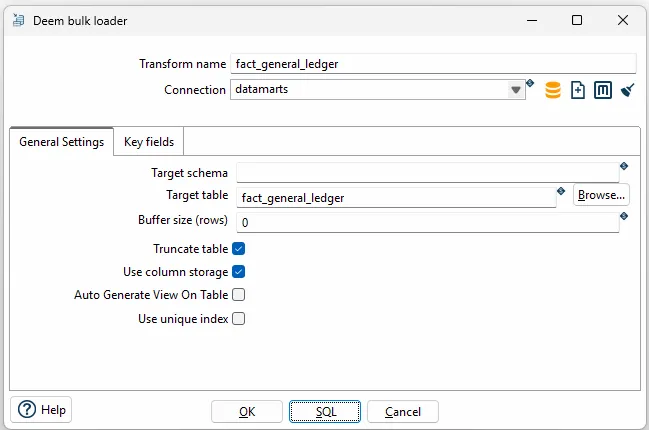
File options
| Option | Description |
|---|---|
| Transform name | Name of the transform. |
| Connection | Select predefined database connection |
| Target schema | The name of the Schema for the table to write data to. This is important for data sources that allow for table names with dots ’.’ in it. |
| Target table | Name of the target table. |
| Truncate table | Select if you want the table to be truncated before the first row is inserted into the table |
| Buffer size (rows) | To split the data loads in chunks of data after which the data load will be. |
| Truncate table | Create new table before start loading data |
| Auto generate View on Table | The output are generated as a View. Each time the step are executed a new temporary table are created. Tables have table name with suffix ‘0_’ to ‘2_’. |
| Use unique index | Should optional unique index be unique |
Key fields (tab)
Section titled “Key fields (tab)”Select fields in optional primary index (often used for dimensions). With the “Get fields” button you can load the fields from the stream.
Auto generate view on table
Section titled “Auto generate view on table”The output table are generated as a view. Each time the step are executed a new temporary table are created. Tables have table name with suffix ‘0_’ to ‘2_’ .
To store current temporary table number a control table with the name “bi_auto_view_control” in the datamarts database. This table have one record per table name. Each time the loader are running the current table number are updated in the control table.